Reference project
It is now possible to create a reference project which combines multiple projects into one.
Imagine you performing long-term research and have acquired samples in batches. You don't want to wait for all the results to be available to start working on them. You can create a project for each batch and then combine them into a reference project.
By default, AutoIMS will create standard, individual projects, however, it's fairly easy to link several existing projects into a reference project.
You can accomplish this by clicking on the Add reference project... button the Actions section.
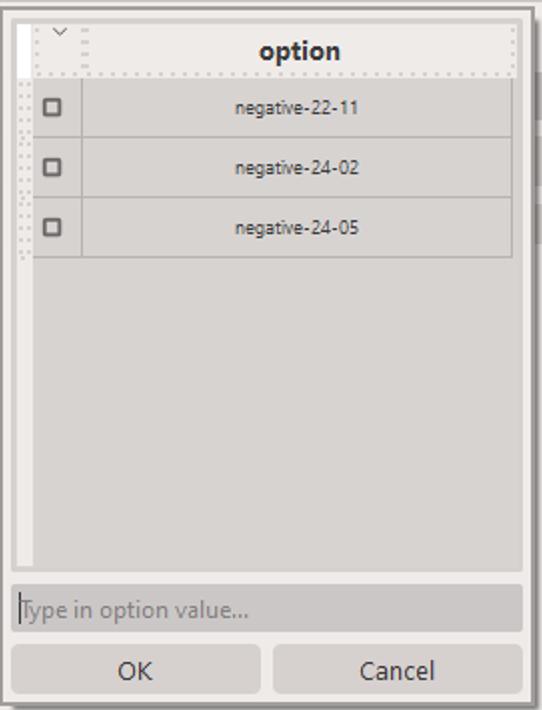
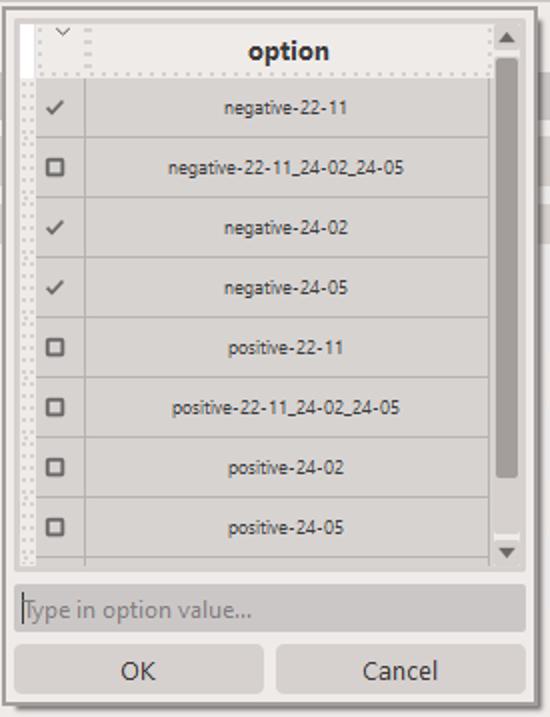
We can use the KPMP data as a example. As of writing this guide, we have collected three batches of KPMP data, acquired over the course of ~2 years. When you click on the Add reference project... button, you will be presented with a dialog where you can select the projects you want to include in the reference project. As shown below, there are several options, including negative-22-11, negative-24-02 and negative-24-05. You can select as many or as few as you want. The second option, negative-22-11_24-02_24-05 is in fact a reference project that combines all three projects together.
Warning
You cannot mix-and-match polarities! Only projects with the same polarity can be combined into a reference project.
Warning
You cannot include a reference project in another reference project.
In order to remove a project from a reference project, you can click on the Remove reference project... button next to the project you want to remove.