Convert app
This app let's you convert multiple image formats to OME-TIFF.
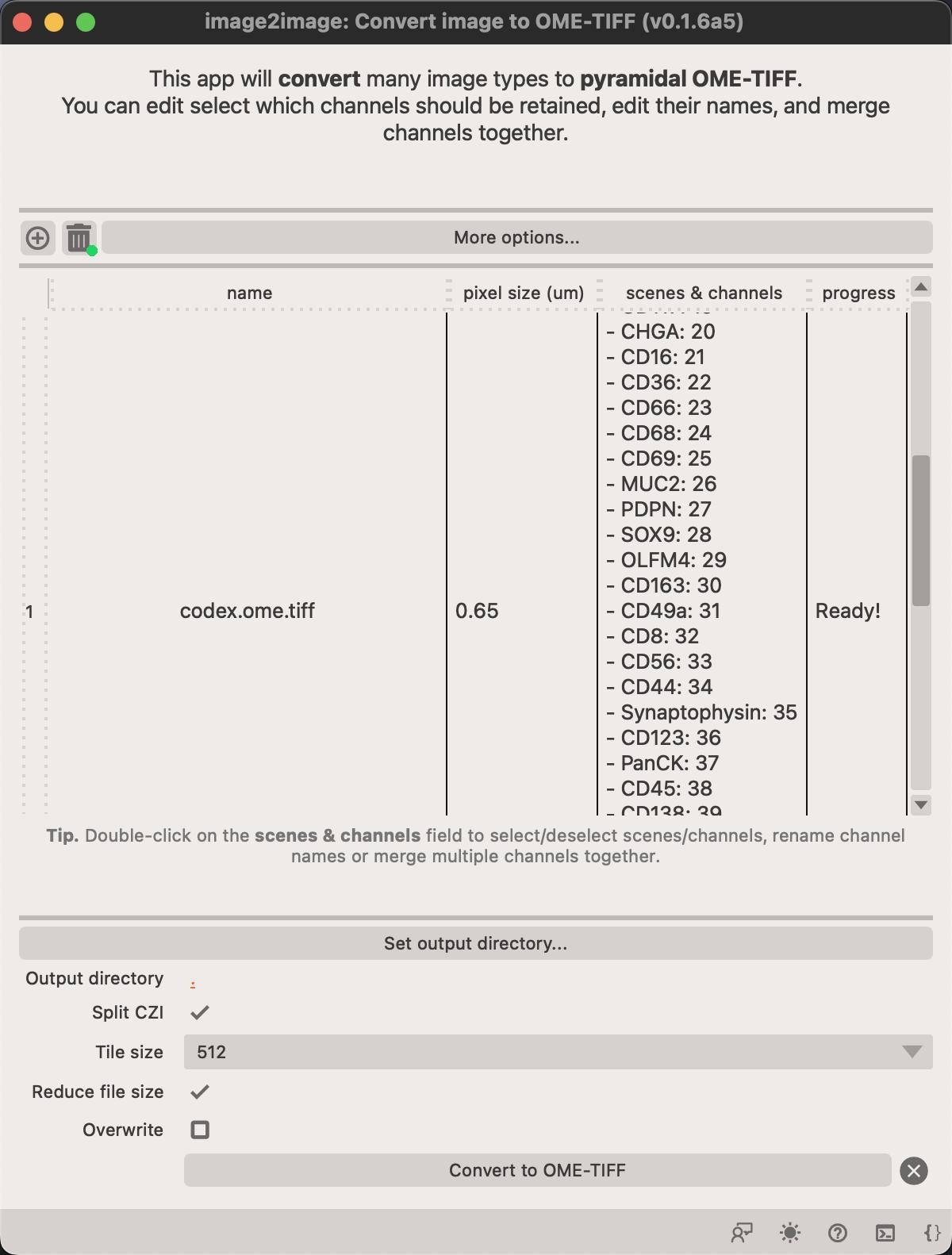
You can adjust which channels should be included in the final image by double Left Button clicking on the channel name.
This opens a new dialog where you can change selct or de-select channels, change their names and merge multiple channels into one.
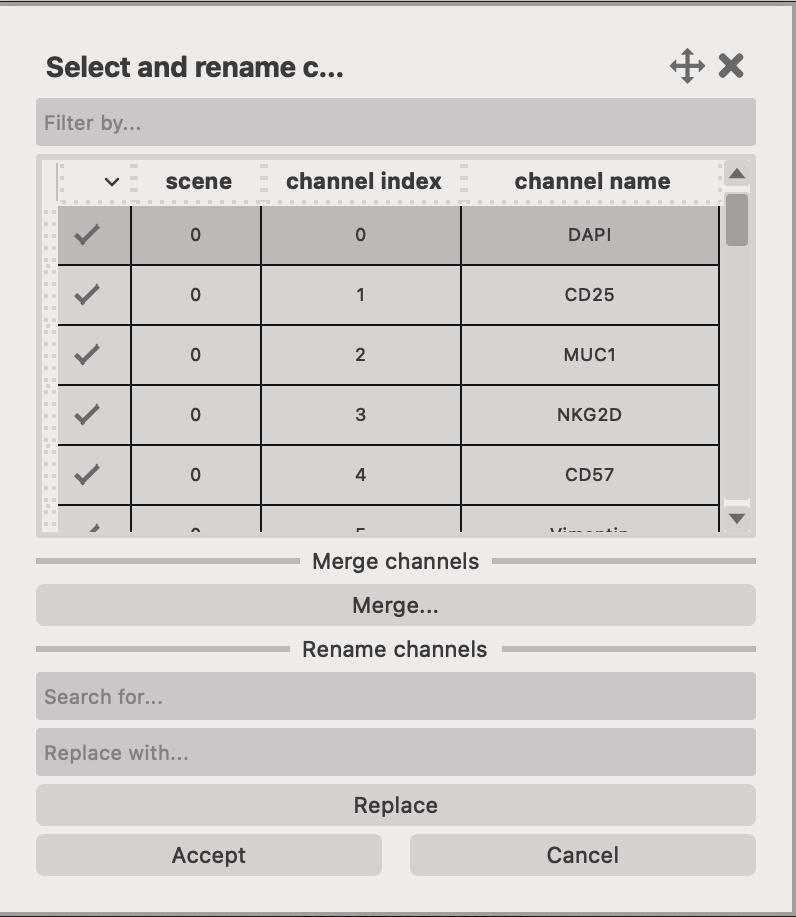
You can also merge multiple channels within an image to form a single channel. Multiple channels are projected into a single channel by using maximum intensity projection.
Click on the Merge... button to open the popup window.
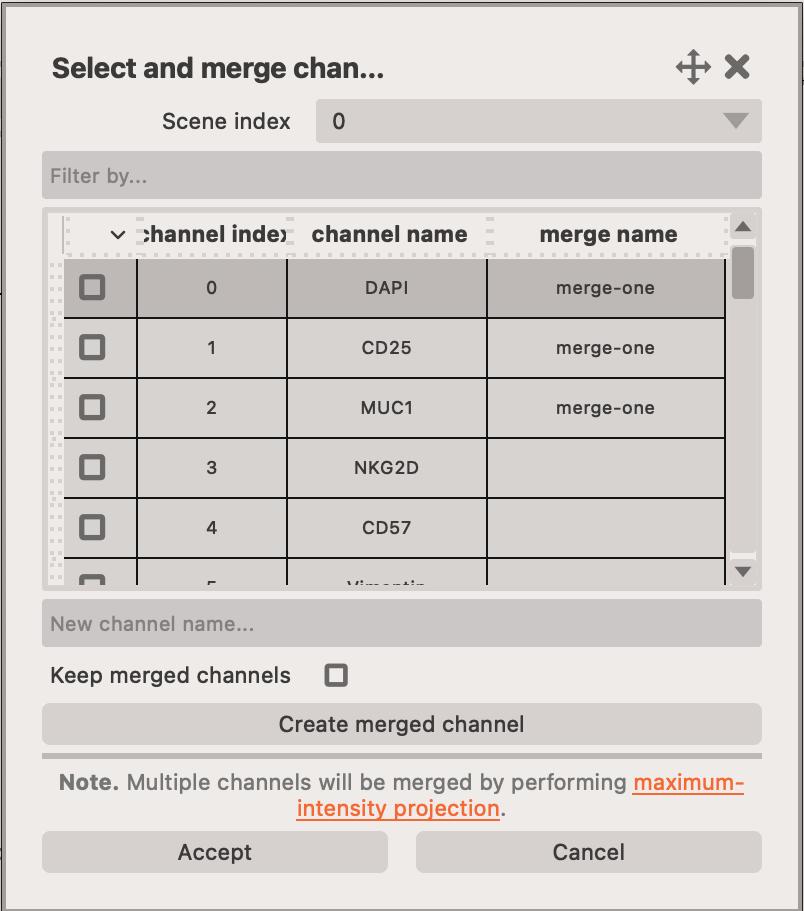
Here, you can select several channels and merge them into a single channel. You must specify the New channel name... and click on the Create merged channel button.
You can optionally retain the merged channels in the final image by checking the Keep merged channels checkbox.
Click on Accept to save selection
Click on Accept to save the selection and close the dialog.
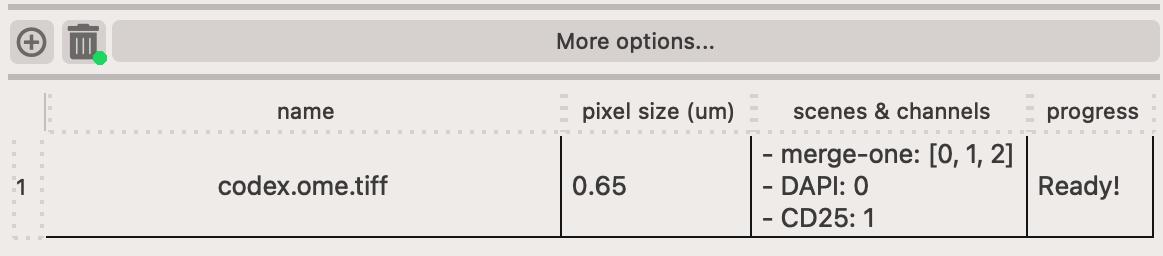
Once you've selected which channels should be retained and merged, they should appear like this in the table.